01
Define your AI
Choose a role or a ready-made template, add your business context, and set boundaries for what the assistant should and should not say.
Website AI + lead capture
StaffFlow helps businesses create a multilingual website AI, ground it in their own information, add it to a website, and collect follow-up requests in one private workspace.
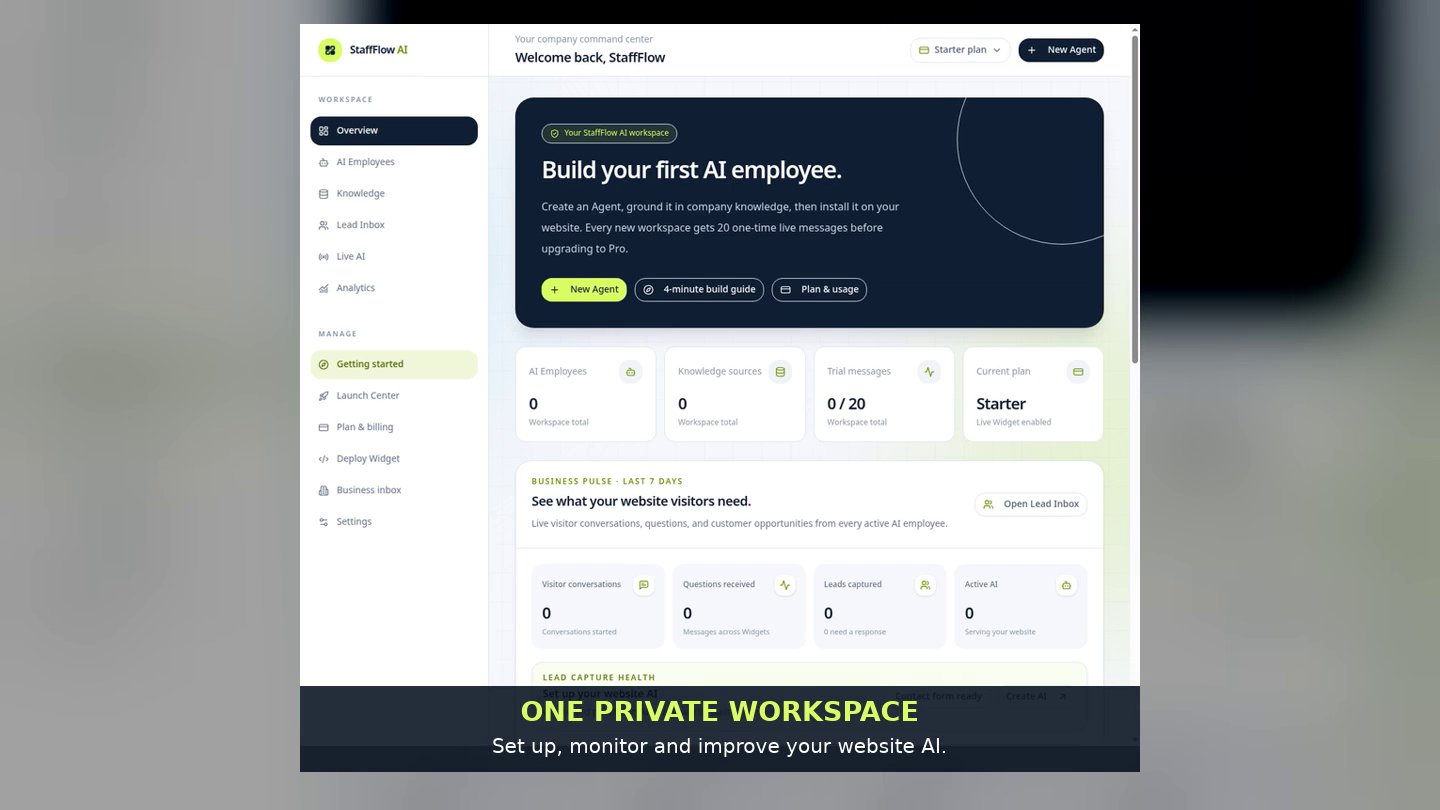
A short product walkthrough
Choose a role, add your business knowledge, test the conversation, publish the Widget, and review a visitor request in Lead Inbox.
This walkthrough uses the live StaffFlow interface and the clearly labelled fictional service-business demo. It does not promise sales, leads, or specific outcomes.
A clear product path
This is a self-serve workflow for businesses that want a helpful first response on their own website—not a promise of automatic sales or a replacement for a human team.
Choose a role or a ready-made template, add your business context, and set boundaries for what the assistant should and should not say.
Set the Widget appearance and approved website domains, then place the provided snippet on your site or use the StaffFlow WordPress plugin.
When a visitor chooses to share their details, you can review the request in your private Lead Inbox and decide how to follow up.
Built for credible answers
Good website conversations start with information the business actually provides. StaffFlow keeps the business in control of its AI instructions, knowledge, Widget style, and allowed domains.
Test the experience first
Try StaffFlow’s public examples before creating an account. The businesses and details are fictional; the examples are designed to show how the same Website AI → Widget → Lead Capture flow works.
See an assistant collect the useful context for a home-service quote request without inventing a price.
Live exampleSee an assistant explain policies and help a visitor decide what they need without claiming live stock data.
Live exampleSee an assistant guide an enquiry toward the information a team needs for a thoughtful follow-up.
Questions, answered honestly
Yes. The workspace guides you through the business profile, AI instructions, knowledge, preview, and Widget setup. You can still edit every field.
Yes. StaffFlow provides a website Widget snippet, controls for approved domains, and a downloadable WordPress plugin with a setup guide.
No. It gives visitors a way to get an immediate, grounded first response and gives your team a place to review follow-up requests. Results depend on your offer, website traffic, and follow-up.
You decide the instructions and restrictions. A careful setup should direct the assistant to collect context and request a human follow-up when exact information is not available.
Start with a working example
Open a StaffFlow workspace, choose a ready-made role, make it specific to your business, preview it, and publish the Widget when you are ready.
Create your AI